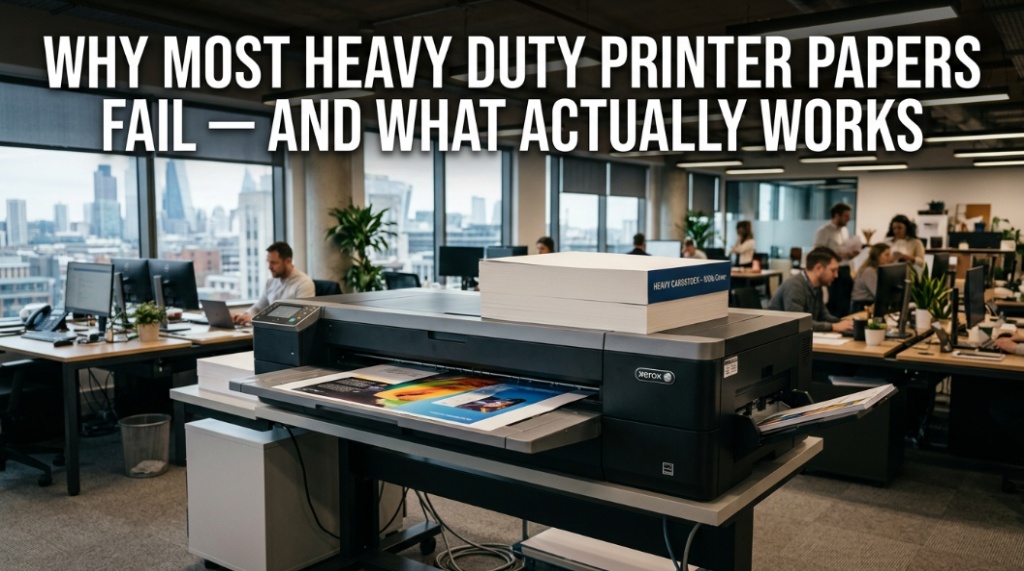
Most people blame printers when pages jam, curl, smear, or feed unevenly, but the real problem is usually thick paper for printers that was never engineered for reliable feed systems. Choosing true jam-free printing paper means matching paper thickness, coating, fiber quality, moisture balance, and printer compatibility — not simply buying the heaviest sheet available.
Why Do Most Heavy Duty Printer Papers Fail Inside Modern Printers?
Direct answer: Most heavy printer papers fail because they exceed printer feed tolerances, absorb moisture unevenly, or use coatings incompatible with standard office printers.
A surprising number of printing issues come from paper, not hardware. Consumers often assume “thicker equals better,” especially for presentations, brochures, menus, certificates, art prints, and marketing materials. In reality, many thick sheets are poorly optimized for laser or inkjet feed systems.
Modern printers use rollers, pressure systems, heat, and feed sensors calibrated for specific paper ranges. Once paper becomes too rigid, too soft, overly coated, or badly cut, problems begin:
- Frequent paper jams
- Double feeding
- Toner flaking
- Ink bleeding
- Warping after printing
- Curling under heat
- Misaligned printing
- Slow feed performance
According to office equipment maintenance reports from enterprise print environments, paper-related issues account for a major share of service calls in commercial printers. Poor-quality stock increases downtime, wasted ink, and reprints.
The problem becomes worse when users buy cardstock or thick media without checking:
- Printer GSM limits
- Manual feed support
- Duplex compatibility
- Coated media handling
- Paper path design
Heavy paper failure is not about thickness alone. It is about engineering compatibility.

What Is Thick Paper for Printers?
Direct answer: Thick printer paper refers to paper with higher GSM or cover weight designed for premium printing applications like business cards, brochures, invitations, certificates, and presentation materials.
Standard office paper typically ranges between 70–90 GSM. Thick printer paper often starts around 120 GSM and can exceed 300 GSM depending on usage.
| Paper Type | Typical GSM | Common Use |
|---|---|---|
| Copy Paper | 70–90 GSM | Everyday documents |
| Presentation Paper | 100–120 GSM | Reports, proposals |
| Brochure Paper | 130–170 GSM | Flyers, brochures |
| Cardstock | 180–300 GSM | Cards, menus, invitations |
| Cover Stock | 250–350 GSM | Packaging, premium prints |
People often search for:
- best thick printer paper
- heavy paper for inkjet printers
- laser printer cardstock
- premium jam-free paper
- double-sided thick printing paper
But thickness alone does not guarantee performance.
What Actually Makes Jam-Free Printing Paper Reliable?
Direct answer: Reliable jam-free printing paper combines correct thickness, low moisture variation, precise cutting, strong fiber structure, and printer-certified compatibility.
Professional-grade paper manufacturers engineer sheets for mechanical consistency. That means every sheet feeds evenly under roller pressure and heat.
The most important factors include:
1. Consistent Paper Grain Direction
Paper fibers have directional structure. Incorrect grain alignment increases curl and feeding resistance.
2. Moisture Control
Cheap heavy paper absorbs humidity quickly. Moisture changes stiffness and causes curling or sticking.
3. Precision Cutting
Low-cost cardstock often has rough edges or dust particles. These particles interfere with feed rollers.
4. Heat Compatibility
Laser printers generate high heat. Some coated papers soften or warp during fusing.
5. Surface Coating Balance
Overly glossy surfaces may resist toner adhesion or slow ink drying.
Reliable jam-free printing paper is tested for:
- Feed consistency
- Roller friction balance
- Curl resistance
- Toner bonding
- Ink absorption
- Duplex stability
Which Paper Thickness Works Best for Different Printers?
Direct answer: Inkjet and laser printers support different maximum paper thickness levels, so matching GSM to printer specifications is critical.
One of the biggest mistakes users make is feeding unsupported cardstock into standard office printers.
| Printer Type | Recommended Thick Paper Range | Best Use |
|---|---|---|
| Inkjet Printer | 120–250 GSM | Photos, crafts, invitations |
| Laser Printer | 100–220 GSM | Business documents, brochures |
| Commercial Printer | 250–350 GSM | Packaging, premium cards |
| Home Office Printer | 90–160 GSM | Reports, presentations |
Many consumer printers technically “support” thick paper but only through manual feed trays.
Always check:
- Maximum GSM rating
- Straight paper path availability
- Rear feed support
- Coated stock compatibility
- Envelope/media settings
Manufacturers like Canon, Epson, HP, and Brother publish paper specifications that users often ignore.
Why Does Thick Paper Jam More Often Than Standard Paper?
Direct answer: Thick paper jams more because increased rigidity reduces flexibility through curved feed paths and roller systems.
Printers are designed around controlled paper bending. Thick sheets resist bending force.
Common causes include:
- Curved internal paper paths
- Weak pickup rollers
- Multiple sheet feeding
- Incorrect tray settings
- Excessive paper coating
- Humidity expansion
If thick paper repeatedly jams, the issue may not be the paper itself but how it enters the machine.
Rear manual feed systems significantly reduce jams because the sheet travels in a straighter path.
What GSM Is Best for Jam-Free Printing Paper?
Direct answer: For most home and office printers, 120–170 GSM provides the best balance between premium feel and reliable jam-free performance.
This range offers:
- Better durability than standard paper
- Improved print sharpness
- Lower jam risk than heavy cardstock
- Better duplex printing
- Professional presentation quality
Extremely thick paper above 250 GSM should only be used if your printer explicitly supports it.
Many small businesses use 150 GSM silk or matte stock for:
- Restaurant menus
- Product sheets
- Marketing inserts
- Certificates
- Presentation covers
Does Coated Paper Cause Printer Problems?
Direct answer: Yes, poorly coated paper often causes smearing, curling, and feed issues, especially in laser printers.
Coatings improve visual appearance but change paper behavior under heat and pressure.
There are several coating types:
- Gloss coating
- Matte coating
- Silk coating
- Cast-coated stock
- Resin-coated photo paper
Laser printers fuse toner using heat. Some glossy stocks trap heat unevenly and warp.
Inkjet printers face different issues:
- Slow drying
- Ink pooling
- Surface streaking
- Color bleeding
Printer-certified coated media performs better because manufacturers engineer the coating for specific ink or toner technologies.
Which Features Matter Most in Premium Thick Printer Paper?
Direct answer: Fiber quality, opacity, smoothness, brightness, stiffness, and feed consistency matter more than raw thickness.
Many consumers buy paper based only on GSM. Professionals evaluate several performance metrics.
Opacity
Higher opacity prevents text show-through during duplex printing.
Brightness
Brighter sheets improve text contrast and image sharpness.
Smoothness
Smooth surfaces create sharper print detail.
Stiffness
Balanced stiffness improves handling without increasing jam risk excessively.
Acid-Free Composition
Acid-free paper resists yellowing and archival deterioration.
Premium jam-free printing paper typically uses:
- Refined wood pulp
- Balanced moisture content
- Uniform caliper thickness
- Low dust manufacturing
Is Cardstock Safe for Home Printers?
Direct answer: Cardstock is safe only if the printer officially supports its thickness and feed type.
Many home printers can handle cardstock occasionally but not continuously.
Warning signs include:
- Grinding noises
- Frequent jams
- Uneven toner bonding
- Roller slipping
- Wrinkled sheets
To print cardstock safely:
- Use manual feed trays
- Select correct media settings
- Avoid overloaded trays
- Store paper flat
- Use printer-approved stock
Heavy paper printing becomes far more reliable when users configure media settings properly.
How Does Humidity Affect Thick Printer Paper?
Direct answer: Humidity changes paper moisture balance, causing curling, expansion, sticking, and feeding problems.
Paper constantly absorbs and releases moisture from surrounding air.
High humidity environments increase:
- Paper curl
- Double feeding
- Roller slippage
- Toner adhesion problems
Low humidity creates static buildup, which also interferes with feeding.
Professional print shops store paper in climate-controlled environments for this reason.
Best practices include:
- Keep paper sealed until use
- Store flat, not upright
- Avoid sunlight exposure
- Maintain moderate room humidity
Which Thick Paper Types Work Best for Specific Printing Jobs?
Direct answer: Different print applications require different paper finishes, weights, and coatings for optimal results.
| Application | Recommended Paper | Ideal GSM |
|---|---|---|
| Business Reports | Matte presentation paper | 100–120 GSM |
| Brochures | Silk coated stock | 130–170 GSM |
| Certificates | Premium matte cardstock | 160–220 GSM |
| Photo Printing | Gloss photo paper | 180–260 GSM |
| Invitations | Textured cardstock | 200–300 GSM |
| Restaurant Menus | Laminated cover stock | 170–250 GSM |
Matching paper to application improves both appearance and printer reliability.
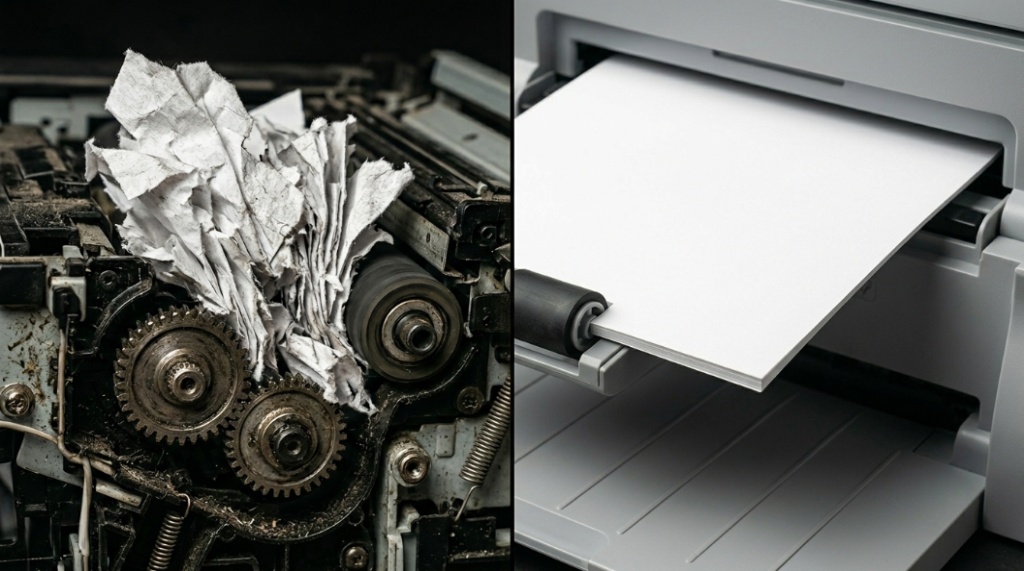
What Actually Works for Reliable Heavy Paper Printing?
Direct answer: Reliable heavy paper printing works when users combine compatible GSM, proper feed settings, low-humidity storage, and printer-certified media.
The most effective approach is practical, not extreme.
What consistently works:
- 120–170 GSM premium matte paper
- Rear-feed or straight-path printing
- Manufacturer-approved media
- Laser-safe coated stock
- Correct media settings enabled
- Humidity-controlled storage
What consistently fails:
- Cheap ultra-thick cardstock
- Unsupported glossy media
- Overfilled paper trays
- Improper printer settings
- Humidity-damaged stock
Professional print reliability comes from compatibility and consistency, not simply buying the thickest available paper.
Can Jam-Free Printing Paper Improve Print Quality?
Direct answer: Yes, high-quality jam-free paper improves sharpness, color accuracy, toner adhesion, and overall document durability.
Premium paper affects more than feed performance.
Benefits include:
- Crisper text edges
- Better color reproduction
- Reduced smearing
- Lower ink absorption distortion
- Improved archival lifespan
High-quality paper also reduces waste because fewer pages must be reprinted.
Businesses printing client-facing documents often recover paper costs through:
- Reduced downtime
- Lower maintenance
- Better presentation quality
- Reduced toner waste
Conclusion: What Should You Actually Buy for Reliable Heavy Printing?
Direct answer: Choose printer-compatible premium paper between 120–170 GSM with certified jam-free performance instead of chasing maximum thickness.
Most heavy duty printer papers fail because users focus only on thickness. Real print reliability depends on engineering compatibility, moisture control, coating quality, and proper feed design.
If you want dependable results, prioritize:
- Printer-certified media
- Balanced GSM ranges
- Low-dust premium stock
- Straight feed support
- Correct media settings
The best thick paper for printers is not necessarily the heaviest sheet. It is the paper that feeds smoothly, prints cleanly, resists curling, and maintains consistent output over time.
Before buying your next stack of cardstock or presentation paper, check your printer specifications carefully. That single step can prevent jams, wasted ink, damaged rollers, and expensive frustration.
Reliable printing starts long before pressing “Print.”
FAQ: Thick Paper for Printers & Jam-Free Printing Paper
What is the best thick paper for everyday office printers?
Direct answer: For most office printers, 120–160 GSM matte presentation paper offers the best balance of durability, print quality, and jam resistance.
Can laser printers handle cardstock?
Direct answer: Yes, many laser printers support cardstock, but users must stay within manufacturer GSM limits and use manual feed trays when required.
Why does glossy thick paper jam more often?
Direct answer: Gloss coatings increase friction, heat sensitivity, and feeding resistance, making jams more common in unsupported printers.
What GSM paper is safest for jam-free printing?
Direct answer: Paper between 120–170 GSM is generally safest for reliable jam-free printing in home and office printers.
Does thicker paper improve print quality?
Direct answer: Thicker premium paper often improves print appearance, color depth, opacity, and document durability when compatible with the printer.
Can humidity ruin thick printer paper?
Direct answer: Yes, humidity changes paper moisture levels, causing curl, feed issues, sticking, and print defects.
Should I use rear feed trays for thick paper?
Direct answer: Yes, rear feed trays reduce paper bending and significantly improve heavy paper reliability.
📌 Related Reads
Discover: Top Office Paper Brands Compared for Quality
Explore: How to Drive Business Success Through Adaptability and Innovation